This is a complete, start-to-finish checklist for setting up your Yogaboomi profile. Work through it top to bottom before you publish, and you will end up with a profile that actually converts visitors into enquiries, not just one that technically exists.
Open your profile editor in another tab before you start, so you can make each change as you go rather than reading the whole checklist first and coming back to it later.
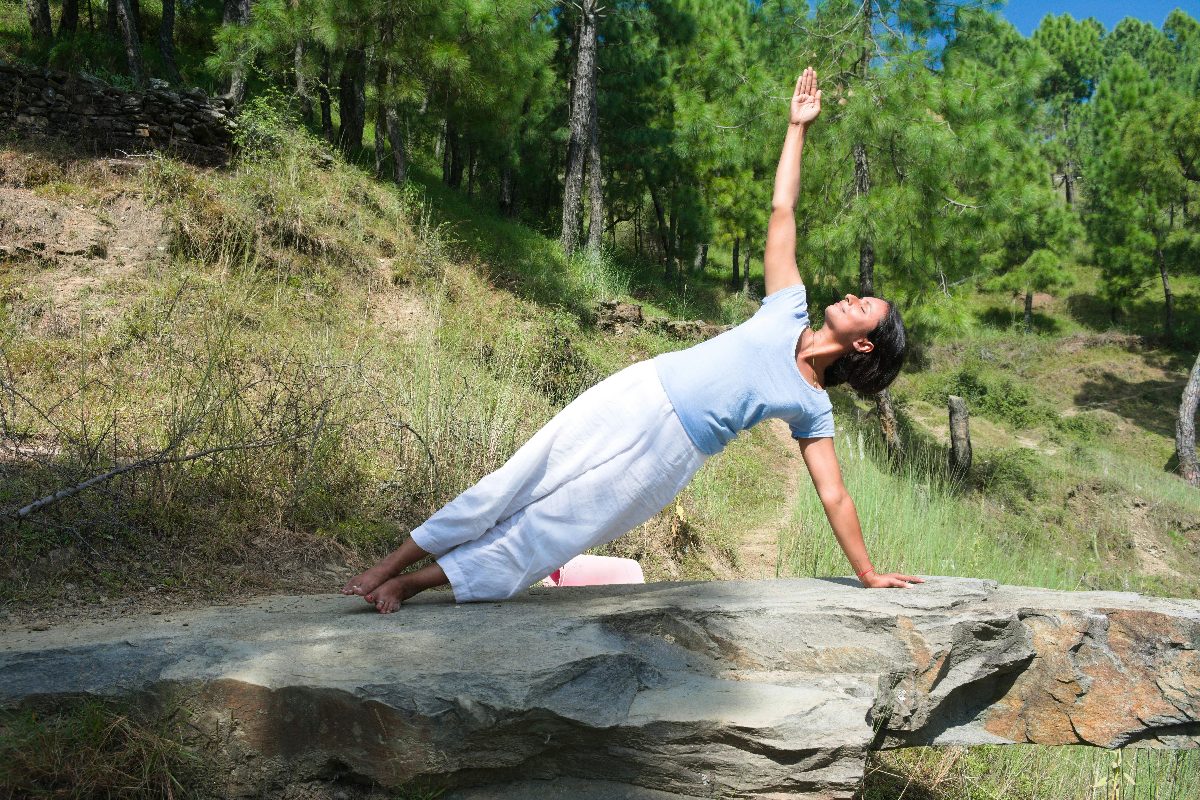
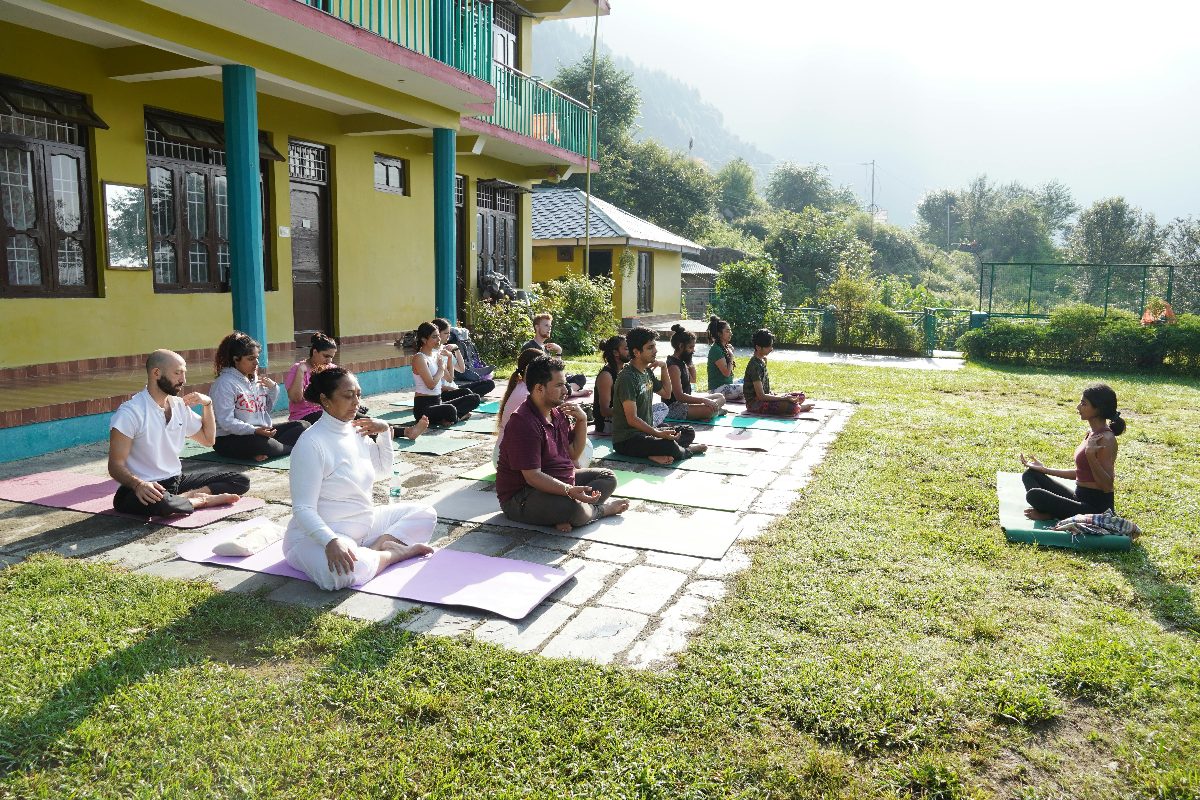
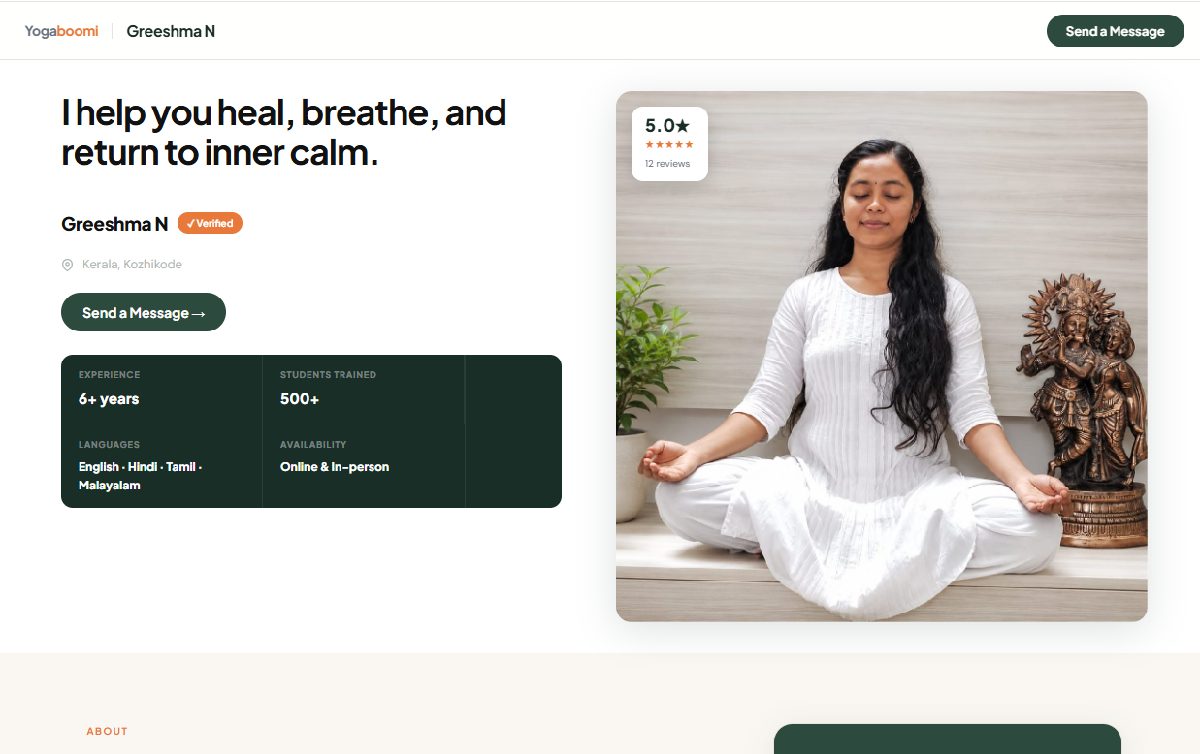
Upload photos of you teaching yoga or while doing yoga. Even a photo of you doing pranayama works. This matters more than a generic portrait, since it shows a visitor what being in a class with you actually looks like, not just what you look like standing still.
Within that, a few things still matter: make sure your face is clearly visible and well lit, not a pose shot with your back turned, not sunglasses, not cropped awkwardly from a group photo. Add more than one photo if you can, ideally a mix of you actively teaching or practicing across a couple of different poses or moments, rather than a single repeated shot. If you teach from a dedicated space, a photo that also shows that space helps too, especially for styles like prenatal or therapeutic where a calm setting matters to the student.
Quick test: show the photo to someone who does not know you and ask what impression they get in three seconds. "Calm," "approachable," or "genuine" means it is working.
This is the one line under your name, and it is often the first thing a visitor reads. Make it specific to who you help, not just what style you teach. "Transform your health with simple, sustainable yoga for body and mind" works better than "Yoga teacher, all styles welcome," because it tells a visitor who this is for, not just what is on offer.
If writing this yourself feels difficult, use the Write with AI option right on your profile. It generates a headline for you in one step, and you can always tweak it afterward if you want it to sound more like you.
Write three short things clearly: what you teach, who you help, and what makes your approach specific. Avoid a long list of every certification and workshop you have ever done here. Save that for the credentials section. Your bio should read like a person talking, not a resume.
A working structure:
Keep it to a short paragraph. A visitor deciding whether to message you will skim, not read in full, if it runs too long.
If you are not sure how to put this into words yourself, the Write with AI option on your profile can generate a full bio for you in one step. It is a good starting point even if you edit it afterward to add your own specific detail.
List your core certification clearly, including the specific name (for example, 200 hour Yoga Teacher Training, Yoga Alliance or MDNIY), not a vague reference to "training with various gurus." If you have one or two genuine specialisations beyond your base certification, prenatal, therapeutic, trauma-informed, list those too. Do not list every short workshop you have ever attended. A long, undifferentiated list reads as trying too hard rather than more credible.
List the specific styles you teach, not just "yoga" as a single category. This is also what makes you findable when a student filters by style on the directory, so leaving this vague or incomplete directly costs you visibility in search and filtering.
List every language you teach in. This matters more than it might seem, especially in cities with a mixed population, since a student more comfortable in a specific language will often filter or search for that first.
Fill in your actual availability clearly: days, times, and whether each slot is online, in-person, or both. An incomplete or vague schedule is one of the most common reasons an otherwise strong profile does not convert, since a visitor cannot picture whether your timing actually works for them.
State your fees clearly and upfront rather than leaving this to be discussed only in a message. A specific number, even a range, removes a major point of hesitation for a visitor deciding whether to reach out at all. Vague or missing pricing tends to filter out serious enquiries rather than protect you from lowball questions.
Decide upfront whether you are offering a free trial class, and state it clearly if you are. A free trial removes a major hesitation for a first-time visitor, though it is not the only correct choice. If you prefer, a small discounted first class works as a middle ground. What matters most is that your policy is stated clearly, not left ambiguous.
If you offer structured programs, a beginner foundation course, a therapeutic sessions package, a private one-on-one option, list each one separately with its own price and duration rather than folding everything into one general description. This makes it much easier for a visitor to see the specific option that matches what they are looking for, rather than having to message you just to find out what you actually offer.
Before publishing, read your profile as if you were a stranger seeing it for the first time. Ask yourself:
If you can answer yes to the first four, your profile is ready to publish. The fifth, a review, will not be answerable yet if you are just starting out, and that is completely fine. That is exactly what Part 2 below covers.
Do not wait for reviews to happen on their own. After a student has completed a few classes and mentioned enjoying themselves, ask directly if they would be willing to leave a review, and make it as easy as possible by sharing your direct review link (yourname/review) rather than asking them to find it themselves. Most students are happy to leave one when asked at the right moment, especially if the link is right there in the message and takes them straight to the review form. A handful of specific, genuine reviews does more for a new profile's credibility than almost anything else on this list, and it is the one part of a strong profile that only comes together after you are already live and teaching.
Put your Yogaboomi profile link in your Instagram bio, your WhatsApp Business bio, and share it directly in any local community or wellness groups you are part of. This helps in two ways at once, and it is worth understanding both.
The obvious one: it makes it easy for anyone who already knows you or finds you elsewhere to land on a page where your fees, schedule, and reviews are already laid out, instead of having to ask you basic questions one by one.
The less obvious one is about search visibility. Google generally treats a page as more credible and worth showing higher in search results when real links from other places point to it, and when real people are actually visiting it regularly. Every time your profile link is shared and clicked from Instagram, WhatsApp, or a community group, it is a small, genuine signal of exactly that kind. Over time, this is part of what helps your specific profile page start showing up when someone searches for a yoga teacher in your city or style, not just when they search for you by name.
None of this requires anything technical on your part. Simply using the same profile link consistently, everywhere you already show up online, is enough to contribute to it.
A complete profile does not guarantee students on its own, but an incomplete one reliably costs you enquiries you would otherwise have gotten. This checklist covers everything within your control. Work through it once, properly, and you will not need to think about it again for a long while.